


FitPix - Face & Body Editor
4.5850.00 Reviews
App Specs
- Version
- 1.8.35
- Updated On
- License
- Free
- Downloads
- 10,000,000+
- Developer
- eToolkit Inc
- Categories
- Photography
- Platform
- Android, iOS
Screenshots
 Analysis by AppCompare
For me, the best reason to try a photo editor is not to transform every picture, but to fix one small thing that distracts from an otherwise good shot. FitPix - Face & Body Editor is built around that kind of personal retouching: its focus is on adjusting how a person looks in a photo, rather than replacing a full-featured camera or general-purpose editing suite. That focus can be useful, but it also makes careful editing more important. A subtle correction can help a picture feel finished; a strong reshape can make the result look unlike the moment you actually photographed.
A focused editor, not an all-purpose photo studio
FitPix is a free photography app from eToolkit Inc. It has a 4.2 average from around 47,000 ratings, and it has been installed over 10 million times. Those figures suggest that many people are willing to try it for quick portrait work, though popularity alone cannot tell you whether its editing style will suit you. The app is rated for everyone, and it runs on Android 6.0 or later. Its current version is 1.8.12.
I would think of it as a companion to the photo tools already on your phone, not a replacement for all of them. A built-in editor is usually the simpler choice when you only want to crop, brighten, or adjust color. A broad creative editor is a better fit when you want layers, detailed masking, or precise control over an entire composition. FitPix makes more sense when the main subject is a person and you want direct access to appearance-focused edits without building a complicated workflow.
That distinction matters before you start. If you expect a full retouching workstation, the focused layout may feel limited. If you usually abandon an edit because a general photo app makes portrait adjustments hard to find, having those tools gathered together may save time. I would use it for a casual profile image, a quick social post, or a portrait where one distracting detail is pulling attention away from the expression.
Trust starts with the choices you can actually see
Photo editing is personal because the images often include faces, homes, friends, or family. I would treat access to a photo library as a meaningful choice rather than a routine tap. Before importing anything, I would pick the one image I intend to work on and avoid granting broader access than the device offers or the task requires. The precise options depend on the device and its software, so I would make that decision on the permission screen rather than assume every phone presents the same controls.
The same care applies after editing. A retouched portrait can be more sensitive than the original if it exposes details you would not normally share or gives others an unrealistic impression of you. I find it useful to decide where the finished image is going before I begin: a private keepsake, a small group chat, and a public profile do not all call for the same level of alteration. That simple pause gives me a clearer boundary for what I am comfortable changing and sharing.
I also would not treat a brief editing session as proof of how an app handles every image behind the scenes. I focus on the controls I can observe and the choices I make on my device, rather than guessing about storage or processing practices. If an image is especially private, the cautious option is to leave it out of any editing workflow unless I have checked the app’s current privacy information and am comfortable with it.
Worth Reading Before You Choose

EA SPORTS FC Mobile 26 Is a Bigger Football Game, but It Takes Time

Flipboard Shows What News Apps Must Do Beyond the Feed

Switching to Android Auto Means Rethinking Your Driving Routine

Google Calendar Makes a Crowded Week Easier to Manage

Ludo King Makes the Most of the Minutes Between Plans

Baby Panda World Brings Quick Play to Modern Phones, but Its Game Library Feels Busy
First Impressions and Interface
Upon launching FitPix, I was greeted by a sleek and user-friendly interface. The design is intuitive, making it super easy to navigate. You don’t have to be a tech wizard to figure this one out. Everything is just a tap away, which is a relief for those of us who want quick edits without the hassle.
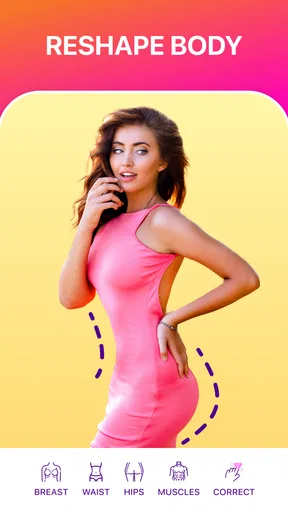
The app offers a variety of tools right on the main screen. Whether you want to tweak your body shape or refine facial features, it’s all there, neatly categorized. I appreciated the minimalistic approach, which doesn’t overwhelm you with too many options at once.
Editing Features Galore
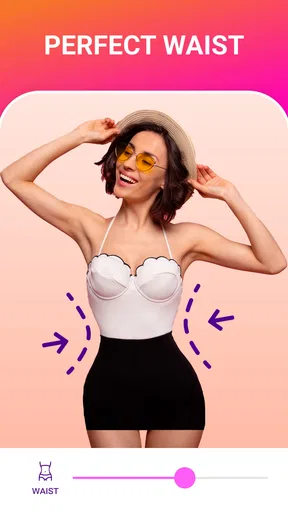
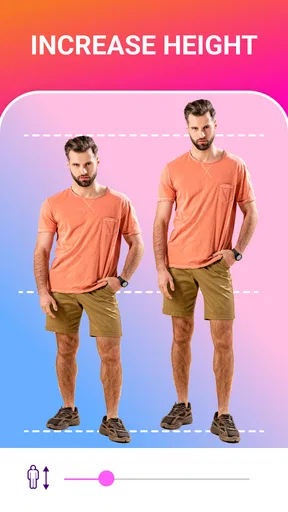
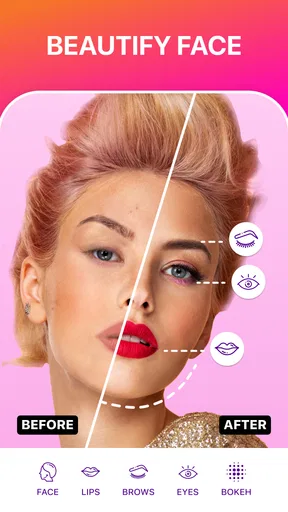
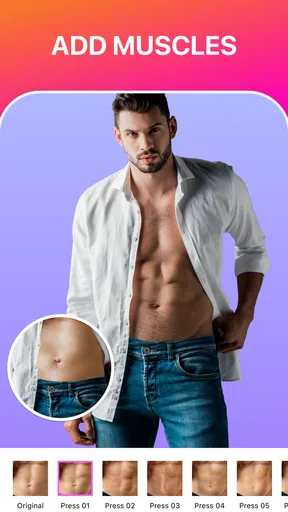
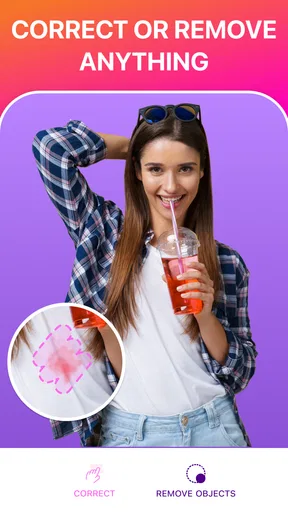
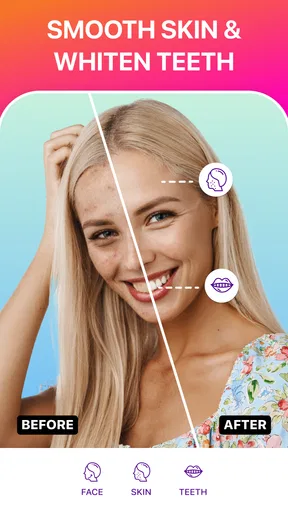
The real magic happens when you dive into the editing features. FitPix offers a plethora of tools to alter your photos. You can adjust body proportions, enhance muscles, or even give yourself a tan. The face editing tools are equally impressive, allowing you to smooth out skin, brighten eyes, and even reshape your face with precision.
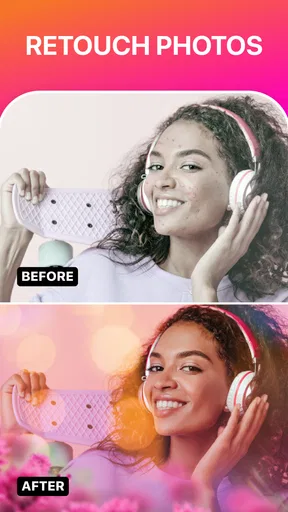
One feature I found particularly cool is the ability to change backgrounds. It’s like green screen magic without the green screen! Whether you want to pretend you’re on a beach or chilling in a cozy café, the app has got you covered.
Small edits need a careful workflow
For me, the tricky part of reshaping tools is not finding an adjustment; it is noticing when I have pushed it too far. I try making a modest change, then checking the whole image rather than staring only at the edited area. A waist or jawline can look plausible up close while a nearby wall, doorframe, or piece of clothing quietly bends. If the background has straight lines, I use those as a visual check before deciding an edit is finished.
A practical sequence is to start with the least noticeable correction, compare the result with the original, and only then add another change if the picture still needs it. I avoid stacking several strong adjustments simply because each tool is available. This keeps the face, body, lighting, and setting feeling like parts of the same photograph, instead of making one area look polished while everything around it gives the edit away.
Background changes call for a different check. I would inspect the outline around hair, shoulders, and loose clothing, since those edges are where a replacement can feel less natural. A simple background may make a portrait easier to use for a casual post, but it is not automatically better than the real setting. If the original scene matters to the memory or the subject’s context, I would keep it rather than erase it for a more decorative backdrop.
Everyday uses and the point where I would stop
Imagine taking a group photo after meeting friends. The lighting is good, everyone is smiling, and you want to share it, but one person dislikes a small detail in their appearance. I would use a restrained adjustment on a copy, then ask whether the edit still looks like the same moment. For a picture that includes other people, I would also consider whether they are comfortable with their appearance being altered before posting it. That is a better use of a portrait editor than trying to make every person match an idealized look.
FitPix is likely to suit someone who enjoys quick, direct portrait edits and is happy to judge the result by eye. It is less suitable for a photographer who needs repeatable color work across a batch, a designer who depends on precise selections and layers, or anyone looking for a full manual retouching workflow. In those cases, a more comprehensive editor gives greater control, while the phone’s standard editor may be enough for simple exposure and cropping. The choice is not about which app has the most tools; it is about whether the task is a portrait adjustment or a broader image project.
There is also a personal limit worth setting before editing: decide whether you are correcting a temporary distraction or changing a feature you do not want represented honestly. I find that distinction useful because body and face tools can shift quickly from playful experimentation to pressure to look different. If I start making repeated changes without liking the picture any more, I stop and return to the original. An editor should help me make a photo I feel comfortable sharing, not turn an ordinary snapshot into a test I cannot pass.
User Experience and Performance
The app runs smoothly without any noticeable lag. I tried a series of edits on a few high-resolution images, and it handled them like a champ. The processing speed is pretty impressive, ensuring you’re not stuck staring at a loading screen.
Another thing I loved was the undo and redo functionality. It’s forgiving, allowing you to experiment with different looks without the fear of making permanent changes. Plus, the side-by-side comparison feature lets you see your edits in real-time, which is a nice touch.
What to consider before paying or sharing
FitPix is free to download, with in-app purchases ranging from $1.99 to $27.95 per item. I would try the free editing experience first and decide whether the tools I actually use justify paying for anything. Since the available purchase can vary by item, I would read the purchase screen carefully before confirming, especially if I only want to remove a source of friction for one occasional edit. I would not pay simply because an image looks unfinished until I have checked whether a lighter adjustment gets me where I want to be.
Ads are another part of the experience to weigh against convenience. An occasional interruption may be an acceptable trade for someone who edits portraits now and then, but it can break concentration when comparing subtle versions. If that bothers you, the app mentions an ad-free premium subscription; I would check its current terms and price in the app before choosing it. I would also make sure a purchase is intentional, since a one-time item and a subscription are different commitments.
Before sharing an edit, I would save or keep the original separately if I might later want the untouched version. That is a useful habit with any destructive-looking edit, even when undo is available during the session: it gives me a clear reference and makes it easier to choose a natural result. I would then review the final image at the size people are likely to see it, not only zoomed in. A retouch that appears seamless on a small screen may show uneven edges or warped details when viewed larger.
Privacy, Ads, and In-App Purchases
Now, let’s talk about the not-so-glamorous stuff. Like many free apps, FitPix does come with ads. They’re not too intrusive, but they do pop up occasionally. If they bother you, there’s always an option to go ad-free with a premium subscription.
In terms of privacy, the app requires access to your photos, but it’s pretty upfront about it. Always a good idea to check the privacy settings, just to be on the safe side.
A cautious verdict for portrait retouching
My overall view is that FitPix is most useful when I want to make a quick, personal adjustment and can keep a critical eye on the result. The organized portrait tools lower the effort of trying a small change, while undo and comparison help me decide whether that change actually improves the picture. Those conveniences do not remove the need to check edges, keep edits restrained, and think about the people shown in the image.
I would recommend giving it a try if you regularly make casual portraits and want body, face, and background adjustments gathered in one place. I would skip it if you need detailed professional control, prefer untouched photos, or are not comfortable bringing personal images into an editing app. The most sensible approach is to begin with a non-sensitive photo, make one modest change, compare it carefully with the original, and see whether the result still feels like you.
Final Thoughts
Overall, FitPix - Face & Body Editor is a fantastic tool for anyone looking to enhance their photos. It’s fun, easy to use, and packed with features that let you unleash your creativity. Whether you’re a social media enthusiast or just someone who loves perfecting their selfies, this app is definitely worth a try.
So, if you’re ready to give your photos a professional touch, head over to your app store and check out FitPix. Happy editing!
Pros
- Intuitive interface for easy editing.
- Wide range of filters and effects.
- Realistic body reshaping tools.
- Fast processing with minimal lag.
- Frequent updates with new features.
Cons
- In-app purchases can be pricey.
- Limited free features available.
- Potential for unrealistic expectations.
- Ads can be somewhat intrusive.
- Requires internet for full functionality.
FAQs for FitPix - Face & Body Editor
What features does FitPix - Face & Body Editor offer?
FitPix provides a wide range of features designed to enhance your photos effortlessly. Users can slim or reshape body parts, smooth skin, adjust facial features, and apply makeup effects. The app also includes filters and stickers to personalize images further, making it a comprehensive tool for photo editing enthusiasts.
Is FitPix - Face & Body Editor free to use?
FitPix is available as a free download, offering basic editing tools at no cost. However, for advanced features and ad-free usage, the app offers a subscription model. Users should explore the free version first to see if it meets their needs before considering the premium upgrade.
How user-friendly is FitPix - Face & Body Editor for beginners?
FitPix is designed with an intuitive interface, making it accessible for beginners. It features easy-to-navigate menus and tutorials for each tool, ensuring users can start editing their photos without a steep learning curve. The app’s simplicity does not compromise its powerful editing capabilities.
Does FitPix - Face & Body Editor compromise photo quality?
FitPix is engineered to maintain high photo quality during the editing process. The app ensures that modified images retain their original resolution and clarity, allowing users to share their edited photos without any noticeable loss in quality. This makes it ideal for users who prioritize image fidelity.
Is FitPix - Face & Body Editor safe to use?
FitPix is committed to user security and privacy. The app does not store any personal photos on its servers, ensuring that your edited images remain confidential. Regular updates help protect against vulnerabilities, providing a safe environment for all users. Always download the app from reputable sources like Google Play or the App Store.


